
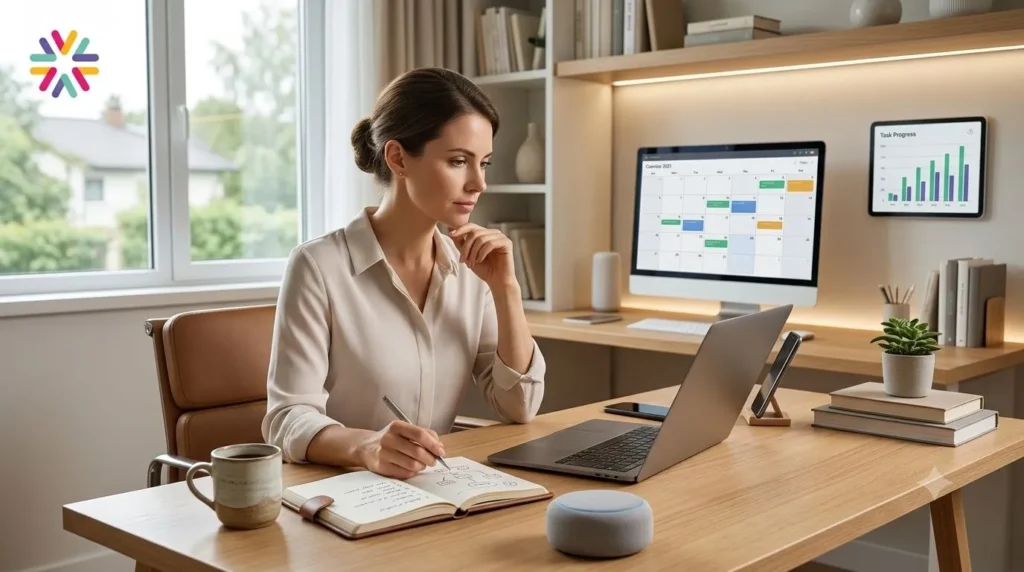
The next productivity upgrade is not about doing everything faster. It is about knowing what to automate, what to delegate to AI, and what still needs your human judgment.
That is where the centaur workflow AI approach comes in. Instead of replacing your routine with random tools, it helps you build a smarter partnership between you, your apps, your smart home, and your AI assistants.
For busy professionals, creators, students, parents, and business owners in the United States, this is quickly becoming one of the most practical life hacks of the AI era.
Quick Answer: What Is a Centaur Workflow AI System?
- A centaur workflow AI system combines human decision-making with AI-powered automation.
- It helps automate your morning routine by connecting calendars, reminders, smart home devices, weather updates, and task planning.
- It improves the workday by using AI tools for summaries, research, planning, focus blocks, and repetitive admin tasks.
- The goal is not full automation, but better teamwork between people and intelligent systems.
- The safest setup keeps humans in control of sensitive decisions, personal data, money, health, and communication.
Centaur Workflow AI: The New Productivity Model for Modern Work
A centaur workflow is a system where the human and the machine work together. The term comes from the idea of a hybrid: part human intelligence, part machine power.
In daily life, this means you do not let AI run your entire day without supervision. You also do not waste your energy manually handling every tiny task. Instead, you create a workflow where AI handles the repeatable parts and you focus on judgment, creativity, relationships, and decisions.
That is why centaur workflow AI is becoming so relevant. Agentic AI tools are moving beyond simple chat responses. They can summarize information, draft plans, trigger actions, connect apps, monitor changes, and support multi-step tasks. At the same time, smart home platforms and no-code automation tools make it easier to connect digital routines with physical environments.
The result is a new kind of life hack: your morning routine, work setup, research process, and focus time can become part of one connected system.
Done well, this does not make life feel robotic. It makes life feel lighter.
What Is Happening Right Now?
AI is shifting from a tool you open manually to a layer that sits inside your daily systems. Instead of asking a chatbot one question at a time, people are starting to create repeatable AI-assisted routines.
For example, your morning workflow might check your calendar, surface your top meetings, adjust smart lights, start a focus playlist, review the weather, remind you to drink water, and prepare a short briefing of your day.
Your workday workflow might summarize a long document in NotebookLM, turn meeting notes into action items, organize research sources, draft a project outline, and remind you to start a deep work block before your calendar gets crowded.
This is not science fiction. It is the natural next step in productivity. People already use calendar reminders, voice assistants, smart speakers, task apps, email filters, and home automations. The difference now is that AI can help connect meaning, context, and decision support across those tools.
That is why terms like AI-augmented focus, agentic AI, and morning routine automation hacks are gaining attention. The question is no longer, “Can AI help me?” The better question is, “Where should AI fit into my day without creating new chaos?”
Why the Topic Is Trending
The rise of centaur workflows is being driven by three pressures at once.
First, many people feel overloaded. Their mornings start with notifications, emails, news, calendar alerts, school logistics, commute decisions, and mental clutter. Before real work begins, their attention is already scattered.
Second, work has become more information-heavy. Professionals are expected to read more, decide faster, respond across more channels, and stay current in fast-changing fields.
Third, AI tools are becoming more practical. Instead of only generating text, newer AI systems can support research, summaries, planning, workflow automation, and app-based actions.
This creates a major opportunity. A well-designed centaur workflow can reduce mental friction at the exact moments when people usually lose focus: the start of the day, the transition into work, the post-meeting period, and the afternoon slump.
Why It Matters Right Now for United States Readers
For many U.S. households, the morning routine is a pressure point. People are balancing hybrid work, school schedules, health goals, traffic, childcare, side hustles, and rising expectations around productivity.
At the same time, remote and hybrid work have moved more responsibility onto individuals. In a traditional office, the environment shaped the workday. At home, you often have to design that structure yourself.
This is where a centaur workflow becomes useful. It can help create a predictable start to the day, reduce decision fatigue, and keep important work from being buried under digital noise.
For consumers, this means smarter homes that do more than turn lights on and off. For professionals, it means AI systems that support planning, research, and communication. For businesses, it means teams may begin to expect AI-assisted workflows as part of normal productivity.
The social implication is also important. If people use AI wisely, they may gain more time for deep work, learning, exercise, family, and rest. If they use it poorly, they may simply create faster distractions.
The difference comes down to design.
Comparison: Manual Routine vs. App Automation vs. Centaur Workflow AI
| Feature | Manual Routine | Basic App Automation | Centaur Workflow AI |
|---|---|---|---|
| Main idea | You handle every step yourself | Apps trigger simple actions | Human judgment works with AI assistance |
| Morning setup | Check calendar, weather, reminders, and messages manually | Use alarms, smart lights, and preset reminders | Receive a contextual morning briefing with automated environment cues |
| Workday support | Switch between tools and manage tasks by memory | Use calendar alerts and task notifications | Use AI summaries, research hubs, task extraction, and focus planning |
| Best use case | Simple routines with few moving parts | Repeatable triggers like lights, reminders, and notifications | Complex days that require planning, judgment, and information management |
| Main risk | Decision fatigue and missed tasks | Too many disconnected automations | Overtrusting AI or exposing too much personal data |
| Best mindset | Discipline | Convenience | Human-led automation |
How to Automate Your Morning Routine Without Making It Complicated
The best morning routine automation hacks are not flashy. They are simple, reliable, and easy to maintain.
Start with the first 60 minutes of your day. Ask yourself: what do I check every morning, what do I forget, and what drains my attention before work begins?
Common answers include the weather, calendar, commute time, reminders, smart lights, home temperature, coffee, exercise, hydration, and top priorities.
A basic morning centaur workflow could look like this:
- Your smart lights turn on gradually at your chosen wake time.
- Your phone or speaker gives a short weather and calendar summary.
- Your task app shows only the top three priorities for the day.
- Your smart thermostat adjusts before you enter your workspace.
- Your AI assistant prepares a short “day briefing” from your calendar, notes, and reminders.
This is where IFTTT smart home productivity can be useful. No-code automation platforms can connect services that do not always communicate naturally. For example, a weather trigger can adjust a smart home action, or a calendar event can start a focus routine.
The key is restraint. Do not automate everything. Automate the moments that create repeated friction.
How NotebookLM Fits Into a Professional Workflow
NotebookLM for professionals is especially useful when your work depends on understanding information from documents, notes, meeting materials, reports, PDFs, websites, or research files.
Instead of treating AI as a general answer machine, NotebookLM can help you work with your own sources. That matters because professional work often depends on context. A generic answer may be less useful than a grounded summary of the materials you already trust.
A professional centaur workflow could use NotebookLM in the following ways:
- Upload project documents and generate a briefing before a meeting.
- Turn long research materials into key themes and questions.
- Create a study guide for a new client, industry, or internal process.
- Compare notes from multiple sources before drafting a proposal.
- Prepare follow-up questions after reading complex material.
This supports AI-augmented focus because it reduces the time spent hunting through scattered information. You still make the final decisions, but AI helps organize the raw material.
Risks, Concerns, and Opposing Views
A centaur workflow can be powerful, but it also comes with real concerns.
The first concern is privacy. Morning routines and workday systems can involve calendars, locations, home devices, documents, emails, and personal habits. Not every automation needs access to everything. The safest setup gives each tool only the access it actually needs.
The second concern is accuracy. AI can summarize, draft, and recommend, but it can also misunderstand context. This is especially important for legal, financial, medical, hiring, and business-critical decisions. In those areas, AI should support your thinking, not replace expert review.
The third concern is over-automation. Some people build so many workflows that their system becomes harder to manage than the original routine. If your automation requires constant fixing, it is not saving time.
There is also an opposing view that says productivity should not become another tech dependency. This criticism is worth taking seriously. A good centaur workflow should make you more capable, not helpless without your tools.
The best approach is human-first automation. Keep the system simple. Review it often. Make sure it supports your values, not just your output.
What Readers Should Do: A Beginner-Friendly Setup
If you are new to centaur workflow AI, do not start with a complicated system. Start with one morning workflow and one workday workflow.
Step 1: Choose one daily pain point
Pick a recurring problem. Maybe you start the day scattered. Maybe you forget priorities. Maybe meetings create messy notes. Maybe you lose focus after checking email.
Step 2: Decide what AI should handle
AI is best for summarizing, sorting, drafting, reminding, comparing, and preparing. It is not best for final judgment on sensitive issues.
Step 3: Create a morning briefing
Build a simple routine that shows your calendar, weather, top tasks, and first focus block. This alone can make your morning feel more intentional.
Step 4: Build a focus trigger
Use a calendar block, smart light scene, timer, or app reminder to signal the start of deep work. The goal is to make focus feel automatic, not accidental.
Step 5: Use NotebookLM for source-heavy work
For research, planning, reports, or professional learning, create one notebook for one project. Add relevant documents and use AI to extract summaries, questions, and themes.
Step 6: Review once a week
Every Friday, ask: what saved time, what created noise, and what should be removed? A centaur workflow should evolve with your real life.
Future Outlook: Where Centaur Workflows Go Next
The future of productivity will likely move from single apps to connected systems. Instead of opening ten tools separately, people will expect AI to help coordinate information across calendars, documents, notes, smart devices, and communication channels.
Agentic AI will probably become more common inside everyday business software. Smart homes may also become more context-aware, using routines that adjust based on time, location, energy use, weather, and personal schedules.
For professionals, the biggest shift may be from task completion to workflow design. The most productive people will not simply use AI. They will know how to build repeatable systems that combine automation with good judgment.
This means a new skill will matter: knowing how to direct AI without surrendering control.
FAQ: Centaur Workflow AI
What does centaur workflow AI mean?
Centaur workflow AI means using AI as a partner in your daily systems while keeping human judgment in control. It combines automation, AI assistance, and personal decision-making.
Can AI really automate my morning routine?
AI can help automate parts of your morning routine, such as calendar briefings, reminders, weather updates, task planning, and smart home triggers. It works best when paired with simple rules and clear priorities.
Is IFTTT good for smart home productivity?
IFTTT can be useful for connecting smart home devices, apps, and services through simple no-code automations. It is best for repeatable triggers like lights, reminders, weather-based actions, and basic productivity routines.
How can professionals use NotebookLM?
Professionals can use NotebookLM to organize project materials, summarize documents, prepare meeting briefings, compare sources, and generate questions from trusted information.
Is a centaur workflow safe?
It can be safe if you limit data access, avoid automating sensitive decisions, review AI outputs, and keep humans in control of important actions.
Conclusion
A centaur workflow is not about letting AI take over your day. It is about building a smarter routine where automation handles friction and you protect your best attention for meaningful work.
The most useful systems are simple: a better morning briefing, a cleaner focus trigger, a reliable research hub, and fewer repeated decisions. When these pieces work together, your day becomes less reactive and more intentional.
“RankAshva editorial view is that the real promise of AI is not a fully automated life, but a more deliberate one—where machines handle the noise, and humans reclaim the judgment, rhythm, and focus that matter most.”
The future of productivity will belong to people who can design their days with intention. Centaur workflow AI is one practical way to start.




More Stories
100 Non-Negotiable Rules for Men
Salvaging Wardrobes: The Definitive Guide to Removing Set-In Grease Stains After Washing
Restoring Clarity: How to Clean Oven Glass With Baking Soda Without Harsh Chemical Sprays